

In today’s fast-paced digital world, creativity moves at lightning speed. Whether you’re a content creator, social media marketer, or business owner, one thing remains clear ,visuals matter. That’s where Remaker AI comes in and designed for simplicity and power. It helps you create, edit, and transform images and videos effortlessly using artificial intelligence.
If you’ve ever wished for a smart assistant that understands your creative vision, Remaker AI is exactly what you need.
Let’s explore what makes this revolutionary tool a favorite among creators and brands worldwide.
What Is Remaker AI?
Remaker AI is an advanced artificial intelligence platform built to simplify creative work. It uses powerful AI algorithms to help users edit photos, create videos, remove backgrounds, enhance visuals, and even generate content automatically.
Unlike traditional tools that require design experience or complex software knowledge, It does most of the heavy lifting for you. Just upload your image or video, describe what you want, and the tool delivers stunning results fast and accurate.
Why Choose Remaker AI?
There are countless AI tools out there, but Remaker AI stands out for one big reason.
It focuses on making creativity effortless. You don’t need to be a designer or video editor to get professional results.
Here’s why thousands of users love it:
1. Simple and Intuitive Interface
Even if you’re new to AI tools, you’ll find it incredibly easy to use. The interface is clean, organized, and user-friendly. Every feature is designed to help you work smarter, not harder.
2. Time-Saving Automation
Manually editing visuals can take hours but Remaker AI completes complex tasks within seconds. From background removal to object replacement, every process happens automatically with minimal effort.
3. Professional-Quality Output
It uses deep learning to deliver high-resolution, sharp, and natural-looking visuals. It maintains image details and lighting quality, ensuring that your content always looks professional.
4. Affordable and Scalable
Whether you’re a freelancer, influencer, or large business, Remaker AI offers flexible pricing plans to suit your needs. You only pay for what you use, making it one of the most budget-friendly AI editing tools in the market.
Key Features :
Let’s take a closer look at what are all favors they do for us.
1. AI Background Remover
Tired of messy backgrounds? The Remaker AI background remover instantly detects and removes unwanted backgrounds from any image. Replace them with solid colors, gradients, or new scenes in seconds.
2. Face Swap & Editing Tools
Want to create fun or professional visuals? With Remaker AI, you can easily swap faces, adjust expressions, or enhance portraits using realistic AI-powered features.
3. AI Video Generator
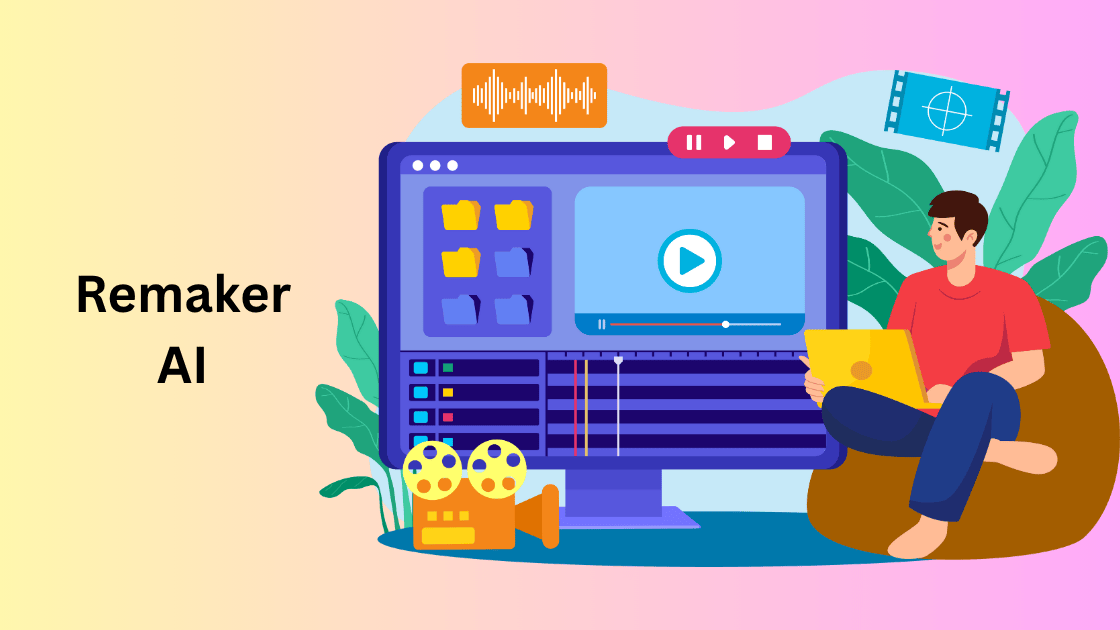
Create short clips, marketing videos, or social media content with the Remaker AI video generator. Just type your idea, and the tool turns it into an engaging video automatically.
4. Image Enhancer
Old or low-quality photos? The Remaker AI image enhancer improves resolution, sharpness, and lighting giving your visuals a polished, studio-quality finish.
5. Text-to-Image & Voice Integration
Describe your idea in words, and let Remaker AI turn it into an image or video. Plus, its voice generation tool can add narration for presentations or YouTube videos.
6. Multi-Language Support
Create global content with multilingual support. The platform understands and processes multiple languages, making it perfect for international creators.
How Remaker AI Works (Step-by-Step)
You don’t need technical skills to use. Here’s how easy it is:
- Sign Up or Log In – Create a free account on the official Remaker AI website.
- Choose a Tool – Select what you want to do: background removal, image enhancement, or video creation.
- Upload Your File – Add your image or video directly from your device.
- Apply AI Magic – Let Remaker AI process your content. It analyzes and enhances it using AI algorithms.
- Preview and Download – Review the final output, make small tweaks if needed, and download in high resolution.
That’s it five easy steps, and your creative content is ready to share!
Comparison :
| Feature | Remaker AI | Traditional Software |
|---|---|---|
| Ease of Use | Extremely easy, no experience needed | Requires design knowledge |
| Speed | Seconds | Minutes to hours |
| Cost | Affordable plans | Expensive licenses |
| Output Quality | Professional AI-based results | Manual results, time-consuming |
| Accessibility | Web-based, mobile-friendly | Desktop only |
| Automation | Fully automated | Manual processing |
Clearly, Remaker AI offers the perfect blend of quality and convenience.
Benefits
Here are the biggest benefits:
1. Boost Productivity
Spend less time editing and more time creating. It automates repetitive tasks so you can focus on innovation and storytelling.
2. Enhance Brand Consistency
For businesses, brand visuals matter. you can ensure your images, ads, and videos always match your brand tone and style.
3. Improve Engagement
Eye-catching visuals drive clicks, shares, and engagement. Using Remaker AI, you can quickly produce professional designs that attract attention.
4. Empower Non-Designers
Even if you have zero design background, It gives you the confidence to produce stunning visuals easily.
Pricing and Plans
Remaker AI offers flexible pricing models that cater to every user. You can start with a free trial to explore its features, and then upgrade to a premium plan for advanced options.
Common pricing tiers include:
- Free Plan: Basic editing and limited usage
- Pro Plan: Advanced tools and HD downloads
- Business Plan: Unlimited access for teams and agencies
Each plan is affordable and provides excellent value for money, suitable for freelancers and large companies alike.
Who Can Use Remaker AI?
It is designed for everyone not just professionals. Here are some of the most common users:
- Content Creators – Edit videos and images for YouTube or Instagram easily.
- Digital Marketers – Design engaging ads, banners, and visuals that convert.
- E-commerce Sellers – Remove product backgrounds and create professional catalogs.
- Photographers – Enhance portraits or fix image lighting instantly.
- Students & Educators – Create visual presentations or projects using AI-generated content.
No matter what your creative need is, Remaker AI makes the process smooth, fast, and fun.
Is Remaker AI Safe to Use?
Absolutely! It values the user privacy and security. Your data and files are processed securely, and nothing is shared without permission. The platform follows strict encryption standards to ensure that every image and video you upload stays confidential.
Integrations and Compatibility
Remaker AI integrates seamlessly with your favorite tools and platforms. You can connect it with social media accounts, content management systems, and design software for a smoother workflow.
It works on all devices Windows, Mac, Android, and iOS, so you can edit anytime, anywhere.
SEO and Marketing Advantage :
High-quality visuals can significantly improve SEO performance. It helps you create optimized images and videos that load fast and attract clicks.
When your visuals stand out, your content ranks better on Google and social platforms , increasing organic reach and conversions.
Why Remaker AI Is the Future of Smart Editing
In a world where visuals dominate, They stands as a game-changing tool for creators and businesses. It merges creativity with automation, offering everything you need to produce world-class content without the complexity of traditional editing software.
Whether you’re enhancing product photos, creating ads, or designing social media posts, They makes it effortless. Its smart technology, user-friendly interface, and affordable plans make it one of the best AI editing tools of 2025.
To Know what are the top AI Tools available click here